Save, organize and export your NotebookLM research.
Send AI chats and web pages to Gemini Notebook (formerly NotebookLM), keep a local history of your answers, and export notebooks as Markdown, all from a Chrome side panel.
Local captures work on Free. Cloud sync requires an eligible paid plan. An independent extension, not affiliated with Google.
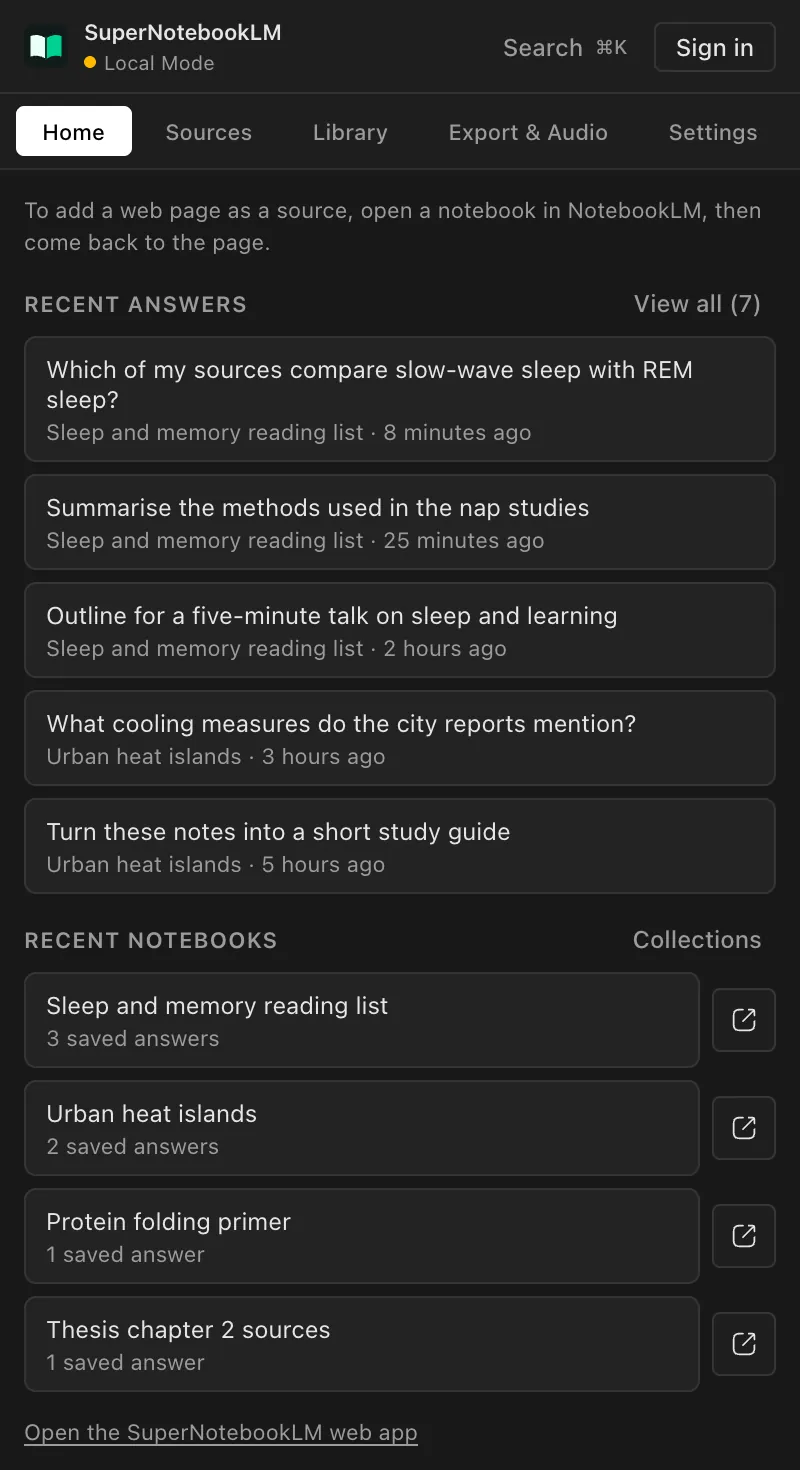
How it works
Send what you are reading to NotebookLM
Add the page in your current tab, a list of URLs, or a ChatGPT, Claude, Gemini or Perplexity conversation to the notebook you choose. Check the destination before you send; very long chats can be captured only in part.
Read the Sources guide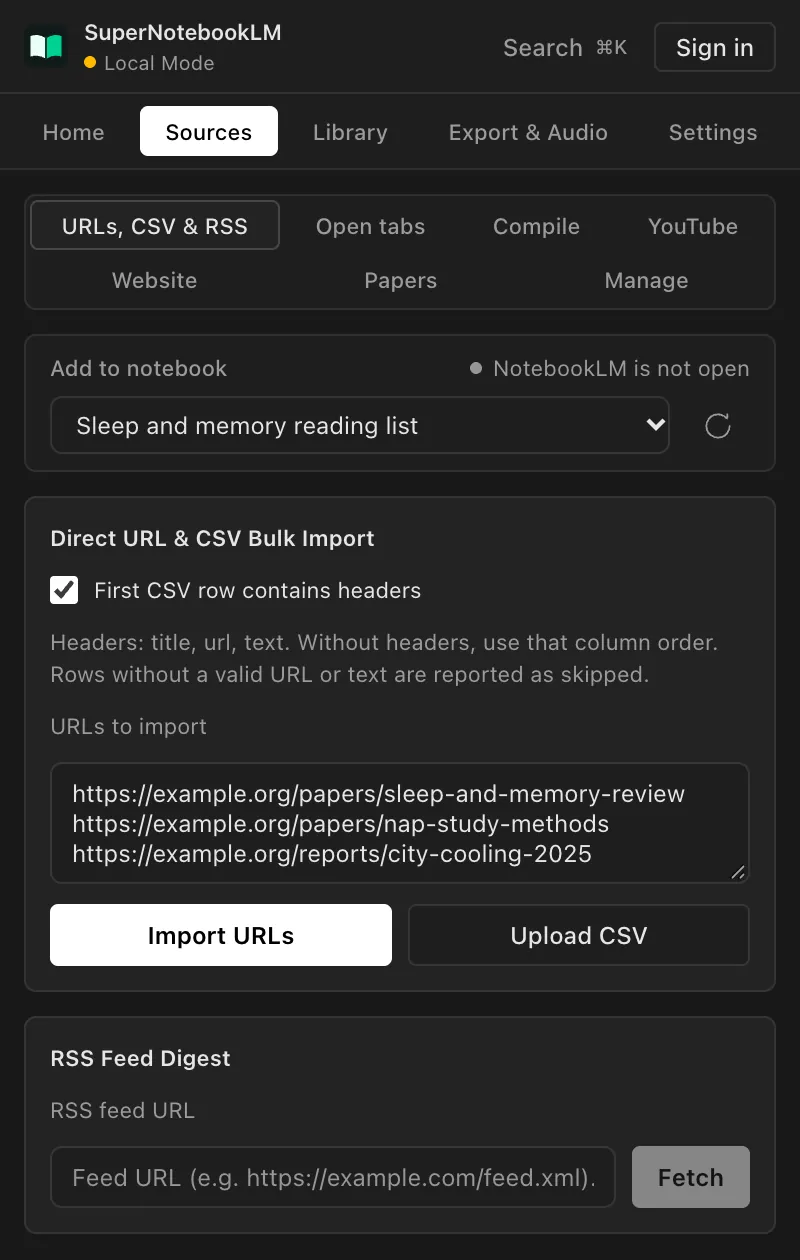
Keep a local copy of your answers
Answers you get in NotebookLM are saved in this browser, grouped by notebook. Open a question later to read the answer again or copy it.
Read the Library guide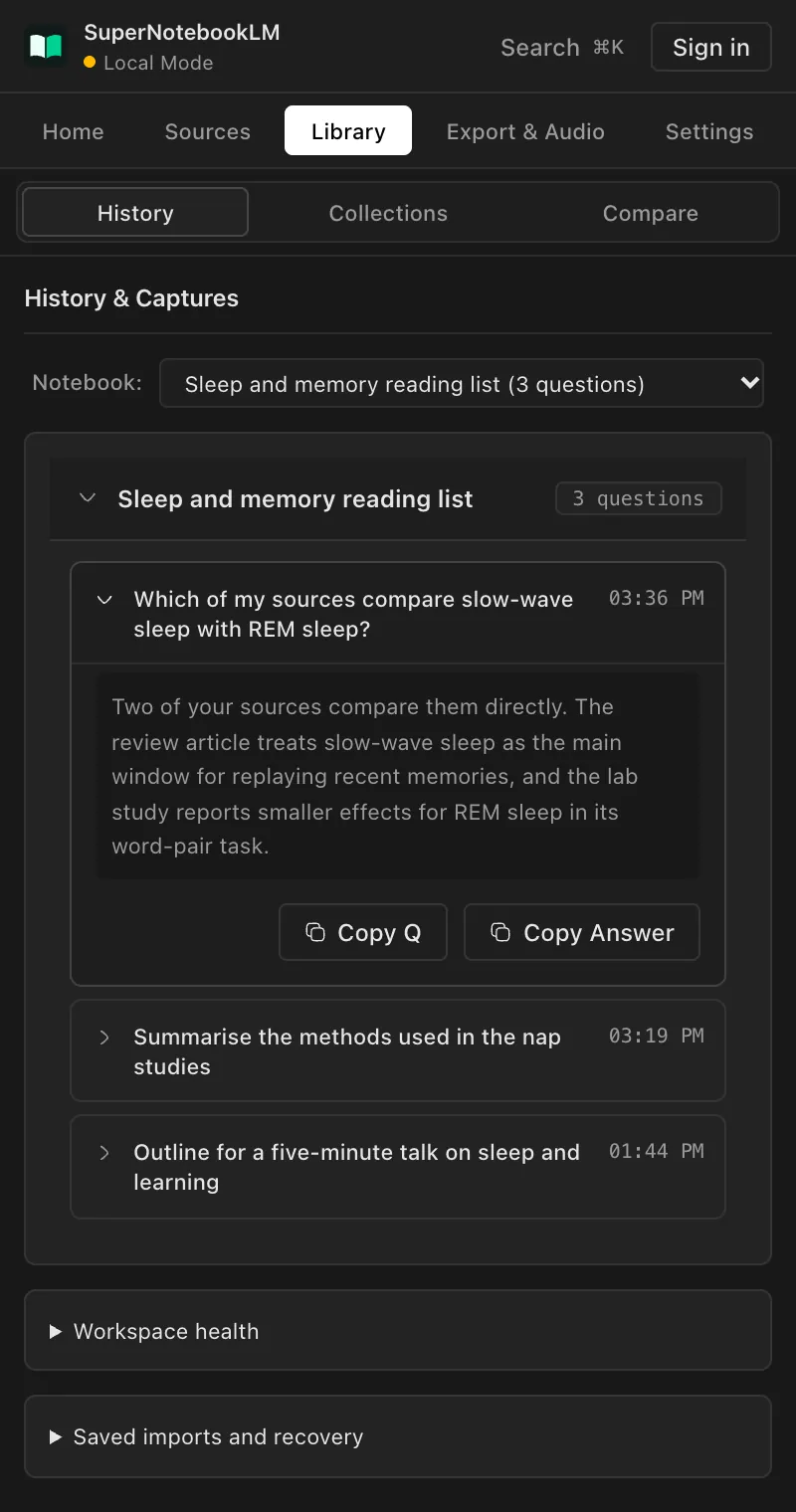
Export notes and keep the audio
Export a notebook’s saved answers as a Markdown file, or everything as a .zip. Save Audio Overviews in your browser, play them there, and transcribe them on your own computer.
Read the Export & Audio guide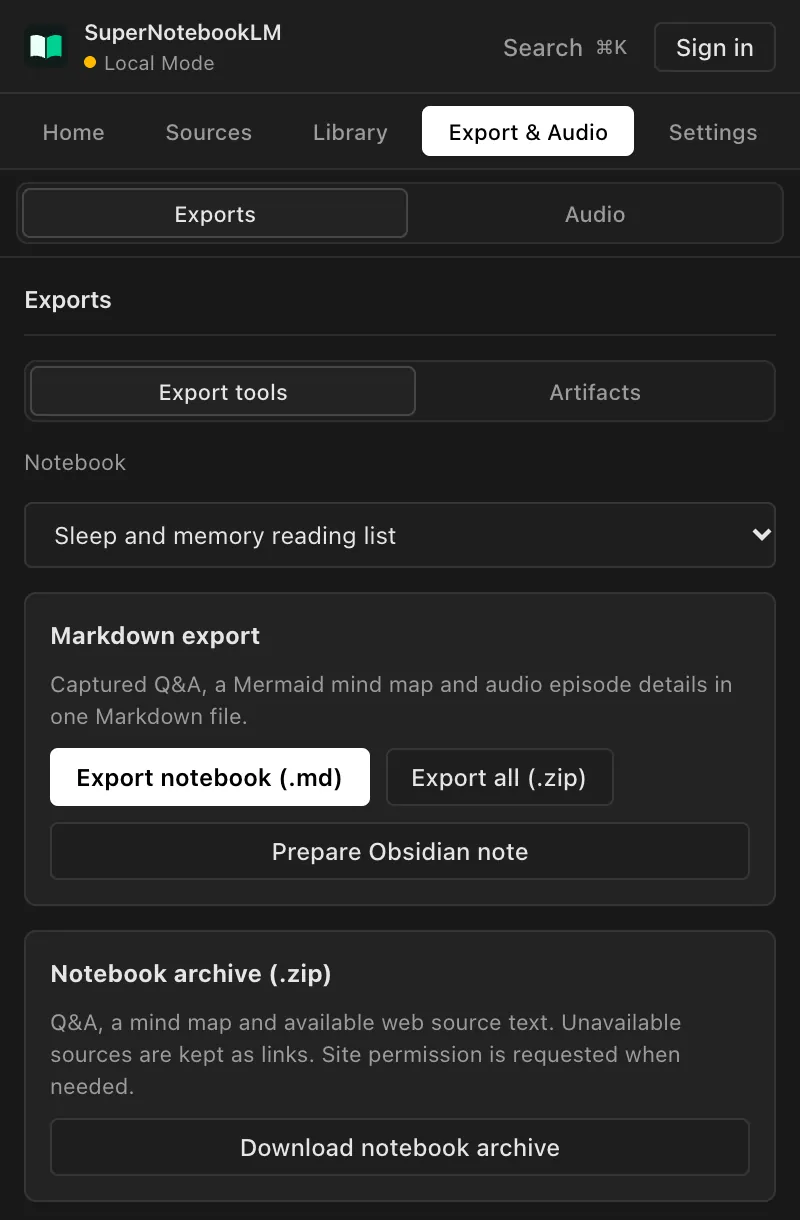
Privacy and limits
- Captures stay in your browser unless you turn on cloud sync.
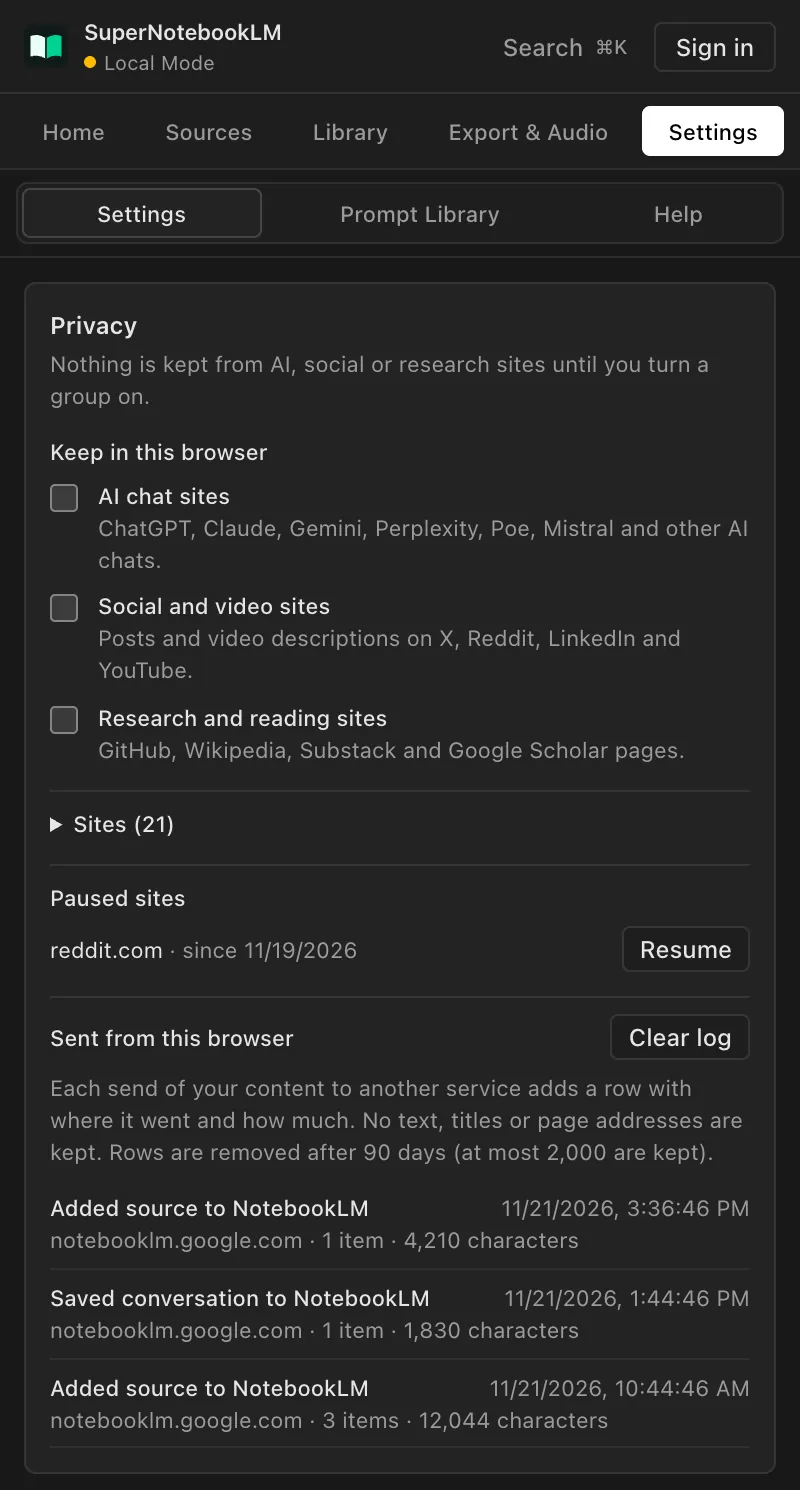
- Pause capture site by site, and see a local log of each time your content was sent elsewhere.
- Export your notebooks as Markdown whenever you want.
- On Free, imports and exports have daily limits.
Details are in the privacy policy.
Pricing
Compare plans- Free
- $0forever
- Save answers, organize notebooks and export, all in your browser.
- Pro
- $5per month
- Cloud sync and more tools for your research workflow.
- Creator
- $30per month
- Turn your research into podcast feeds, slides and posts.
- Lifetime
- $70one time
- Creator access without a recurring subscription.